 . A new row will appear in the table.
 Global drivers are high-level drivers that have a major or critical effect on their associated elements or on the entire system.
You can manage global drivers by selecting the Business Dimensions panel on the Start screen, then selecting the Global Drivers tab.
To add a global driver manually:
Select . A new row will appear in the table.
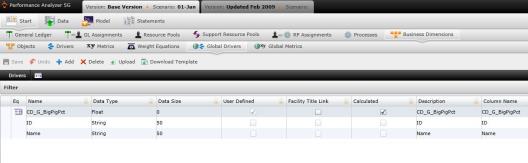
After creating the driver, selecting the  icon. The equation screen will open.
Type "(" in the Equation Editor to make a pop-up box appear. Choose from functions, cost objects/drivers/processes or process time variables to add to the equation. You can also add another Driver Equation to the equation by selecting a driver in the Drivers window, copying the equation and pasting it in the new driver's Equation Editor.
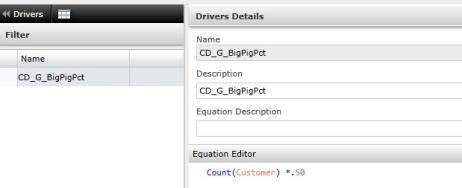
Return to the list of Global Drivers by selecting the  icon.
icon.
Select  to save the new global driver.
To upload files:
 . A download pop-up screen will appear. Choose your options and select "OK."
 . The "Upload" panel will open. .
What if the records fail to upload?See Edit Failed Records.
Related Topics: